
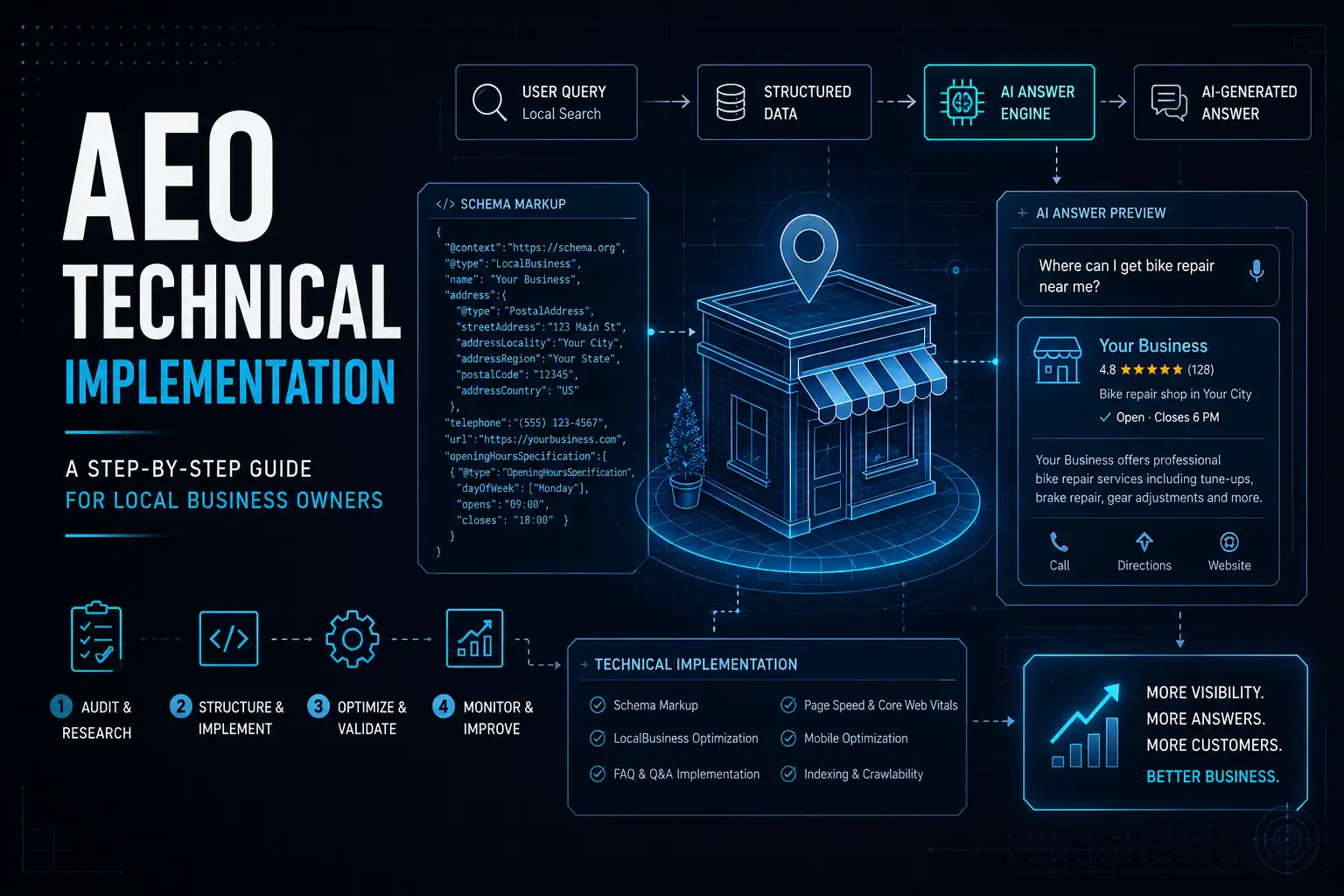
AEO theory is straightforward implementation is where most businesses stall. This step-by-step technical guide walks through every AEO action a local business owner needs to take to start winning AI-era search visibility.
Understanding why Answer Engine Optimization matters for local businesses in 2026 is the easy part. The harder part for many business owners without deep technical backgrounds is understanding exactly what AEO implementation looks like in practice. This step-by-step guide demystifies the process, breaking every key AEO action into concrete, achievable tasks that any business owner or their team can execute.
Step 1: Compile Your Master FAQ List. Start by gathering the 20 to 30 questions your customers most frequently ask. Sources include: your email inbox (search for question marks), your front desk team’s memory, the Q&A section of your Google Business Profile, Google’s People Also Ask boxes for your key service queries, and keyword research tools filtered for question-format queries. Organize these into categories: general business questions, service-specific questions, pricing and process questions, and location/availability questions.
Step 2: Write Direct, AI-Readable Answers. For each question, write a clear, factual answer of two to five sentences. Begin each answer with the question context restated in your answer (e.g., “Our business hours are Monday through Saturday, 8 AM to 6 PM” not just “8 AM to 6 PM”). Avoid vague, promotional language. AI systems prefer factual directness over marketing copy.
Step 3: Create a Dedicated FAQ Page on Your Website. Compile your top 15 to 20 FAQs onto a dedicated FAQ page, organized by category. Use standard HTML heading tags (H2 for questions, paragraph tags for answers) to structure the content clearly. This page becomes your primary AEO anchor.
Step 4: Implement FAQPage Schema. Using Google’s Structured Data Markup Helper or a WordPress schema plugin, apply FAQPage schema to your FAQ page. This creates a machine-readable version of your Q&A content that AI systems can process directly.
Step 5: Add LocalBusiness Schema to Your Homepage. Implement comprehensive LocalBusiness schema including your business name, address, phone, hours, services, and geographic service area. Validate using Google’s Rich Results Test before publishing.
Step 6: Optimize All Directory Listings. Update your City Search Pro profile, GBP, and other directory listings with the same question-and-answer formatted content from your FAQ page. Many directory platforms have FAQ or Q&A sections that accept this structured content directly.
Step 7: Monitor and Iterate. Check Google Search Console monthly for featured snippet and rich result performance. Track which FAQ pages and content pieces drive the most featured snippet appearances, and expand those topics with additional content.
Frequently Asked Questions
Q: Do I need a developer to implement schema markup?
A: Not necessarily. If you use WordPress, plugins like Yoast SEO Premium, RankMath, or Schema Pro generate and manage schema without requiring code. For custom website platforms, Google’s Structured Data Markup Helper creates the JSON-LD code you can paste directly into your page source.
Q: How many FAQs should I include on my website’s FAQ page?
A: Start with 15 to 25 questions enough to be genuinely comprehensive without becoming unwieldy. Organize them clearly by category, and expand the list over time as you identify new questions from customer interactions and search data.
Q: Can I use the same FAQs on multiple pages and listings?
A: The core questions can be reused, but the answers should be slightly adapted for each context particularly for different service pages where specific details may differ. On directory listings, adapt the FAQ content to fit the character limits and format requirements of each platform.